What Belongs in a Project Charter (And What Definitely Doesn't)
Most project charter templates are bloated with sections nobody reads. Here's the six-part minimum viable charter with worked examples for each section.
A project charter is the document that turns an idea into an authorized project. It gives the project manager formal authority to spend budget and assign resources. It records what the sponsor agreed to fund and what they agreed is out of scope. It is not a planning document; it is an authorization document.
Here is the problem: most project charter templates are eight to fifteen pages long, filled with sections that belong somewhere else. Teams spend three weeks filling in the template and getting it approved, then nobody reads it again. The scope conflicts that the charter was supposed to prevent happen anyway, because the relevant section is buried on page nine between the org chart and the communications matrix.
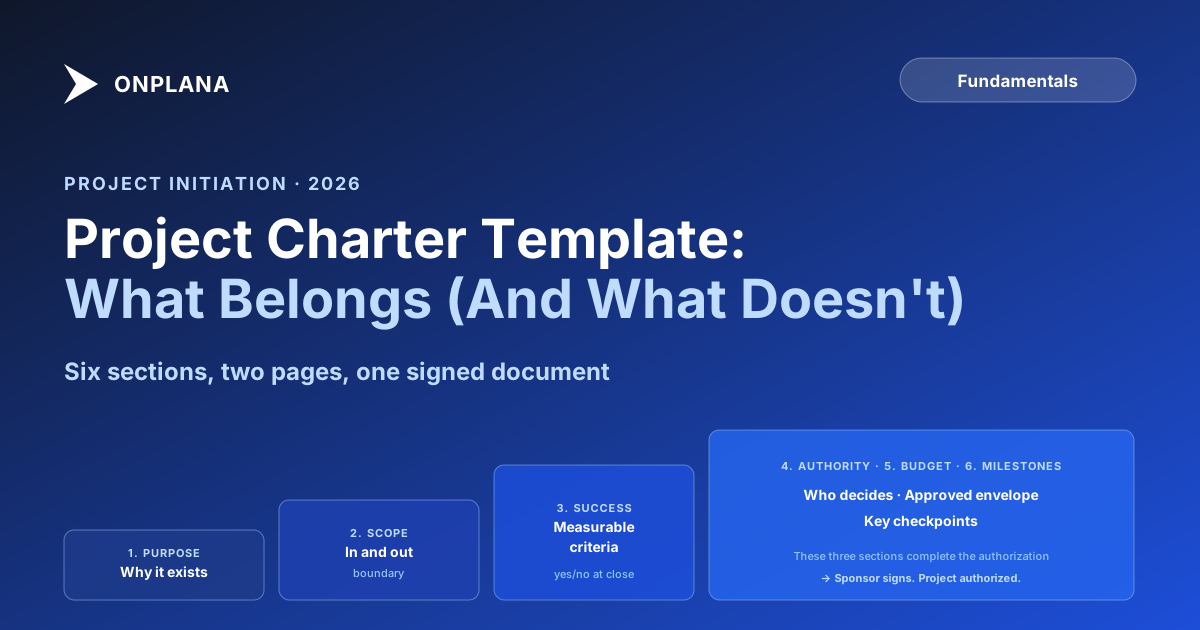
The minimum viable project charter has six sections. A well-written charter fits on two pages. It gets approved faster, read more often, and actually reduces the scope and authority conflicts it is designed to prevent.
TL;DR. A project charter needs: project purpose and business case, scope boundary, success criteria, authority and roles, budget envelope, and key milestones. Delete the rest. Each of these six sections has a specific job; padding them with generic text destroys that job.
What a project charter is actually for
Before covering what to include, it is worth being precise about the charter's function. The charter does three things:
First, it formally authorizes the project. Without a signed charter, a project manager has no written basis for requesting resources or making decisions. The charter is the document you point to when a department head asks why their team is being asked to participate.
Second, it captures scope boundaries at the moment of sponsor agreement. Scope creep typically starts with unwritten assumptions. A charter with explicit in-scope and out-of-scope statements gives you a written record of what the sponsor agreed to before the project started.
Third, it establishes the decision-making structure. Who can approve changes? Who can escalate? The charter is where this gets written down, which is why it matters that it actually gets read.
The PRINCE2 framework uses the equivalent "project initiation document" to formally authorize a project and establish the project manager's authority over resources. The naming differs; the purpose is identical: authorization and authority. Not planning. Not risk management. Not communication strategy.
Once the charter is signed, the project manager can begin detailed planning. The how-to-create-a-project-plan work starts after the charter is approved, not before or during it.
Section 1: Project purpose and business case
What belongs here: One to three sentences explaining why this project exists and what business outcome it serves. The test for this section: can your sponsor's boss read it, understand why the project is being funded, and agree the investment makes sense?
Worked example:
The Meridian CRM Migration project replaces the legacy Salesforce instance with HubSpot across the North America sales organization. The current system costs $340,000 annually in licensing and requires 1.2 FTE for administration; the replacement reduces that to $180,000 and automates the primary administrative workflows. The migration also enables the Q4 revenue reporting integration that finance has identified as a prerequisite for the 2027 board reporting cycle.
What to delete: Lengthy market context. Background history of the problem. Paragraphs about strategic alignment that do not say anything specific. If the business case requires more than a paragraph to explain the value, that content belongs in a separate business case document that the charter can reference.
Section 2: Scope boundary
What belongs here: An explicit list of what is in scope and what is out of scope. Both lists matter equally. Out-of-scope statements prevent the most common form of scope creep, which starts when someone assumes something is included because it was never explicitly excluded.
Worked example:
In scope: migration of all active North America Salesforce records to HubSpot, configuration of standard sales workflows, integration with the existing Marketo instance, and training for 120 sales users.
Out of scope: migration of historical closed-lost records prior to 2022, integration with the EMEA Salesforce instance, customization of the HubSpot reporting suite beyond standard dashboards, and any changes to the Marketo configuration.
What to delete: Aspirational statements about what the project might do in a future phase. Scope items that are not yet confirmed. If it is not funded and not authorized, it is not in scope; listing it creates confusion about what the sponsor actually approved.
Once the charter is signed, the written scope boundary is the anchor for every subsequent scope conversation. The scope creep conversations guide covers the three specific conversations that keep scope from expanding through informal channels after the charter is approved.
Section 3: Success criteria
What belongs here: Measurable statements that define when the project is done and when it has succeeded. These are not outputs (deliverables); they are outcomes or acceptance conditions. The test: could you evaluate each criterion and produce a yes/no answer?
Worked example:
The project is successful when: all active North America records have been migrated with a data integrity rate of 99.5% or above, verified by a reconciliation report comparing Salesforce and HubSpot record counts; the HubSpot integration passes all finance data handoff tests; and 90% of trained users can complete core workflows without support ticket within 30 days of go-live.
What to delete: Vague quality statements ("the system should be easy to use"). Success criteria that cannot be measured at project close. Generic statements about stakeholder satisfaction that would be true for any project.
The success criteria section is the most frequently skipped section in bloated templates, because teams fill in objectives instead of criteria. An objective says what you are trying to achieve. A criterion says how you will know you achieved it.
Section 4: Authority and roles
What belongs here: Named individuals and their roles. Specifically: who is the sponsor (single person, single name), who is the project manager, who has authority to approve scope changes, and at what threshold does a change require sponsor approval versus project manager authority.
Worked example:
Sponsor: Sarah Chen, VP Revenue Operations. Project Manager: Marcus Webb. Marcus has authority to approve schedule changes of up to five business days and budget reallocations within the approved budget of up to $15,000. Changes to scope, budget increases, or schedule extensions beyond 10 business days require Sarah Chen's written approval.
What to delete: Full org charts. A complete stakeholder register. RACI matrices for every project task. These belong in separate documents. The charter's authority section only needs to answer: who authorized this, who runs it, and at what point does a change need to go back to the sponsor?
If you are working through stakeholder mapping separately, the work breakdown structure guide covers how to connect the WBS to the authority structure once planning begins.
Section 5: Budget envelope
What belongs here: The approved budget. Not a detailed cost breakdown; just the number. If there is a contingency reserve, name it. If there are budget constraints or constraints on how budget can be classified (capital vs operating, for example), note them here.
Worked example:
Approved budget: $420,000 total, consisting of $310,000 for implementation services, $65,000 for internal labor (estimated), and $45,000 contingency reserve. Budget is classified as capital expenditure. Any draw on the contingency reserve requires sponsor notification.
What to delete: A full cost-loaded schedule. Cost estimates broken down by task. Work package estimates. Those details belong in the project plan's budget baseline, not the charter. The charter establishes the envelope; the plan fills in the details.
Section 6: Key milestones
What belongs here: Four to seven high-level milestones with target dates. These are not detailed schedule items; they are the checkpoints that mark meaningful phase transitions or delivery events. The sponsor should be able to read this list and understand the project's shape without knowing anything about the detailed schedule.
Worked example:
Charter signed: June 20, 2026 Requirements and data mapping complete: August 15, 2026 Pilot migration (10% of records) validated: September 30, 2026 Full migration complete: November 14, 2026 User acceptance testing passed: November 28, 2026 Go-live: December 5, 2026
What to delete: A full Gantt chart. All task-level schedule items. Dependencies at the task level. The charter's milestone section gives the sponsor a timeline they can hold in their head. The project plan holds the full schedule.
Understanding the difference between milestones and tasks matters here: a milestone marks a state change (requirements complete, pilot validated), not an activity. The project plan guide walks through how to build the detailed schedule from these high-level milestones.
The charter structure in practice
The following diagram shows the six sections as a hierarchy, with each section's primary question and the document that owns the detail.
What to delete from a bloated charter
If you are working from an existing template that runs to ten or more pages, here is what you can cut without losing any governance value:
Methodology section. Whether the project runs waterfall, agile, or hybrid is an execution decision, not an authorization decision. The sponsor does not need to approve your approach in the charter; they need to approve the scope, budget, and timeline. Methodology belongs in the project plan.
Full risk register. A high-level risk summary (two to five major risks with owners) can appear in a charter appendix if your organization requires it. A full risk register with probability-impact matrices and mitigation plans belongs in the risk management plan, not the charter. Sponsors do not read risk registers embedded in charters; they read whatever is on the first two pages.
Full stakeholder register. Naming key stakeholders by role in the authority section is sufficient for the charter. A stakeholder register with influence maps, communication preferences, and engagement strategies is a planning artifact, not an authorization artifact.
Org charts. If the project involves 15 or more people, an org chart in the charter adds visual bulk without adding clarity. The authority section covers who approves what; the project plan covers who does what.
Detailed schedule. A Gantt chart in the charter is almost always inaccurate by the time it is approved, because detailed planning has not happened yet. The milestone section gives the timeline shape; the project plan gives the schedule.
A step-by-step approach to writing each section
Work through the six sections in order. Each one sets up the next.
Write the purpose statement. Start with the problem this project solves, then add the specific business outcome. One paragraph maximum.
List scope items. Start with what is in scope as a bullet list. Then write the out-of-scope list with equal care. For every item you consider adding to scope, ask: did the sponsor explicitly agree to fund this? If not, it is out of scope until they do.
Write success criteria as test statements. For each criterion, ask: can I evaluate this yes/no at project close? If not, it is an objective, not a criterion. Rewrite it until it can be evaluated.
Name the sponsor and project manager. Then set the authority threshold: at what dollar value or schedule variance does a change require sponsor approval? Write this as a number, not a policy statement.
Write the budget as a single number. Then note the contingency reserve and any constraints on classification. Do not attach a cost breakdown.
List milestones in chronological order. Four to seven milestones. Each should mark a state change (design complete, testing passed), not an activity (begin testing). Match these against the work breakdown structure once planning begins.
Once the charter is signed, your next step is translating the milestone list into a full project schedule, starting with the work breakdown structure. The work breakdown structure guide walks through how to decompose scope into deliverables and tasks from the scope boundary you established in the charter.
Ready to make the switch?
Start your free Onplana account and import your existing projects in minutes.