How to Create a Project Plan: A PMO Framework with a Microsoft Project Online Migration Walkthrough
How to create a project plan that works for a real PMO migration. The Migration Plan Canvas framework, a 12-week Microsoft Project Online migration walkthrough, and a copy-paste template.
Most "how to create a project plan" guides treat planning as a generic skill: scope, schedule, resources, budget, risk, communicate. That's true as far as it goes, and the first half of this guide covers exactly those fundamentals. The half that isn't generic, the part that buyers in 2026 actually need, is what happens when the project you're planning is your own PMO's migration off Microsoft Project Online before the September 30, 2026 retirement. That kind of plan needs nine elements the generic guides skip entirely.
This guide does both. The first half is the methodology: the ten elements every project plan covers and the ten steps to assemble one. The second half introduces the Migration Plan Canvas, a one-page framework specific to a system migration, and walks through applying it to a Microsoft Project Online migration with a 12-week schedule, real budget, and the five risks PMOs most commonly underestimate. The template at the end is copy-paste-ready.
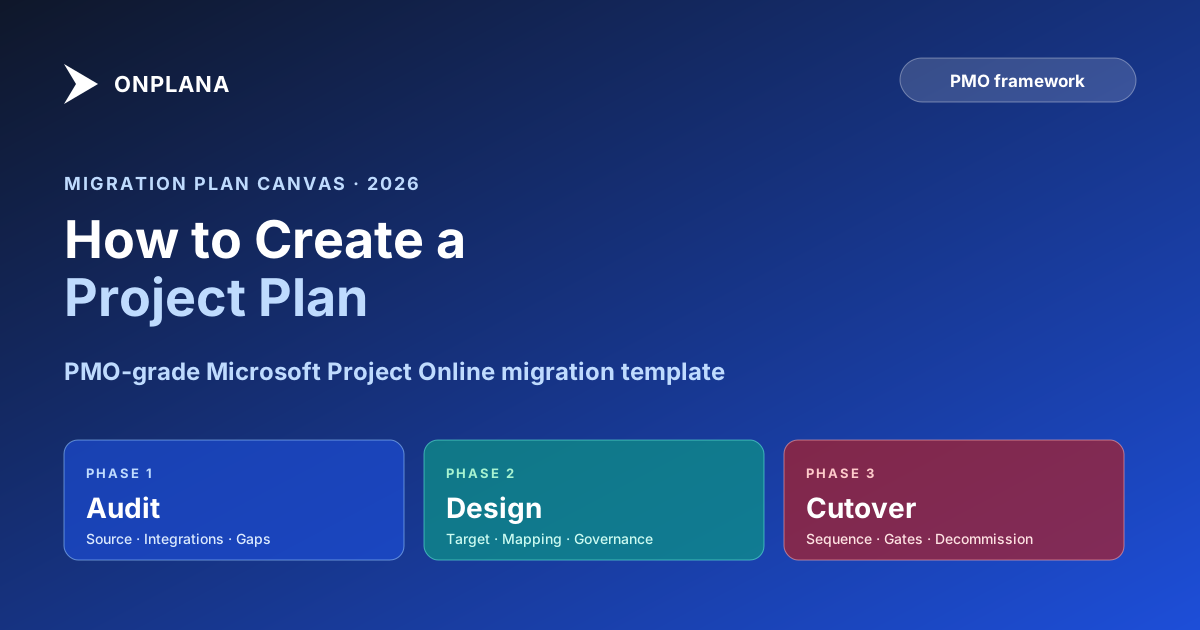
A project plan answers what, who, when, and how. Every plan covers ten elements (scope, objectives, WBS, schedule, dependencies, resources, budget, risks, milestones, communication). A PMO migration plan adds nine more, organized as the Migration Plan Canvas: three Audit elements (source inventory, dependencies, gaps), three Design elements (target system, mapping rules, governance preservation), three Cutover elements (sequencing, fidelity gates, decommission). The 12-week worked example below aims to cut over a 150-user PMO off Microsoft Project Online by August 31, 2026, with a 30-day buffer before retirement. Budget: $120-180k. Top risk: pilot exposes mapping bugs that consume the buffer.
The ten elements of any project plan
A project plan, regardless of methodology or domain, covers these ten things:
| Element | What it answers |
|---|---|
| Scope | What are we delivering, and what is explicitly out of scope? |
| Objectives | What does success look like, in measurable terms? |
| Work Breakdown Structure | What are all the tasks and deliverables? |
| Schedule | When does each task start and finish? |
| Dependencies | What order must things happen in? |
| Resources | Who's doing the work? What skills are needed? |
| Budget | How much will it cost? |
| Risks | What could go wrong? What's the mitigation? |
| Milestones | What are the verifiable checkpoints? |
| Communication plan | How and when will progress be reported? |
A two-week internal initiative needs scope, tasks, schedule, and assignments. A six-month client project needs all ten. A PMO migration off Project Online needs all ten plus the nine in the next section.
The Migration Plan Canvas: nine elements a generic plan misses
A system migration is not "execute the migration" as one WBS task. It is a project whose central deliverable IS moving from one system to another, which produces a specific shape: you cannot finish until what's on the source system is verifiably present in the target system, with the governance, integrations, and historical context intact. Generic project planning treats this as a black box. The Migration Plan Canvas opens it.
The diagram below lays out the nine elements across three phases. Each cell is a question the plan must answer before cutover.
The Canvas is system-agnostic. Substitute "Project Online" with any source and "your target" with any destination and the nine questions stay the same. The walkthrough below uses Project Online because the September 30, 2026 retirement is the most time-pressured PMO migration of 2026; the structure transfers to any other PMO platform migration.
Step 1: Define scope and objectives
Scope first. Everything else (schedule, resources, budget) flows from what you're building.
A scope statement is 2-5 sentences that describe what the project will deliver:
"Migrate all active projects, project schedules, resource pool, timesheets, and project document libraries from the corporate Project Online tenant to the selected target PMO platform. Achieve cutover by August 31, 2026, with the source tenant in read-only mode through retirement. Out of scope: archived projects older than 2024, the secondary Project Online tenant in the EMEA division (migrated separately in Q4), Power BI dashboard rewrites beyond the top ten executive reports."
Explicit "out of scope" prevents 80% of scope creep conversations. When someone asks "can we also move the EMEA tenant?" you point to the statement.
Objectives answer why and what success looks like. For a migration, the headline objective is "zero data loss, cutover by August 31, 2026" but the measurable success criteria are more concrete:
- 100% of in-scope active projects present in target system on cutover day, with task assignments, dates, and dependencies intact
- 95% of ECF custom fields mapped automatically; the remaining 5% rebuilt manually before pilot
- Power BI dashboards for the top ten executive reports operational against the target system on cutover day, within 5% data parity of the Project Online versions
- Sponsor approval recorded at each milestone (pilot complete, wave 1 complete, cutover go/no-go, decommission)
- Total cost within 15% of approved budget
Step 2: Build the WBS and schedule
The Work Breakdown Structure breaks the project into manageable pieces. For a PMO migration, three top-level phases (Audit, Design, Cutover) decompose into the nine Canvas elements, which in turn decompose into the actual tasks. The "8/80 rule" still applies: no task should be shorter than 8 hours or longer than 80 hours (10 working days).
A representative top-level WBS for a Project Online migration:
1. Audit
   1.1 Source inventory (every project, EPT, ECF, lookup table)
   1.2 Integration audit (Power BI, Teams, OData consumers)
   1.3 Gap analysis (features the target system doesn't have)
2. Design
   2.1 Target system selection (against weighted criteria)
   2.2 Field mapping rules
   2.3 Governance preservation design
3. Cutover prep
   3.1 Migration scripts and tooling
   3.2 Pilot wave selection
   3.3 Communication and training plan
4. Pilot
   4.1 Migrate 5 pilot projects
   4.2 Validate against fidelity gates
   4.3 Iterate on mapping rules
5. Production waves
   5.1 Wave 1 (40 projects)
   5.2 Wave 2 (35 projects)
   5.3 Final wave + tenant freeze
6. Decommission
   6.1 Read-only window monitoring
   6.2 Archive snapshot
   6.3 Tenant shutdown
For estimation, use three-point estimation on uncertain tasks: Estimate = (Optimistic + 4 × Most Likely + Pessimistic) / 6. A mapping-script task might be O=3 days, M=5 days, P=12 days, giving (3 + 20 + 12) / 6 = 5.8 days. Add 15-20% buffer to the critical path.
For dependencies, the migration shape forces a strict order: Audit completes before Design starts (you cannot design a mapping you haven't catalogued); Pilot completes and passes fidelity gates before Wave 1 fires; Wave 1 completes before Wave 2; final wave completes before decommission. Within phases, work parallelizes. See the critical path method explained for the dependency-typing rules.
Step 3: Resource the plan
For each task, assign the team member(s) responsible. A 150-user PMO migration typically needs:
| Role | Allocation | What they do |
|---|---|---|
| Project Manager (PM) | 100%, 12 weeks | Owns the plan, runs the wave gates, communicates with sponsor |
| PMO admin / sysadmin | 75%, 12 weeks | Source-system expertise, runs exports, validates fidelity |
| Migration specialist (vendor or in-house) | 100%, 8 weeks | Writes mapping rules and migration scripts |
| Target-system administrator | 50%, 12 weeks | Sets up the target tenant, runs the imports |
| Power BI / reporting analyst | 50%, weeks 6-12 | Rebuilds the top-ten dashboards against the target |
| Sponsor (executive) | 5%, 12 weeks | Approves wave gates, unblocks cross-team issues |
Watch for overallocation, skill gaps, single points of failure (cross-train if only one person can write the migration scripts), and the tendency to forget non-work time (meetings, code reviews, approval delays).
Step 4: Set the budget
For a 150-user PMO migrating ~80 active projects off Project Online, the all-in budget typically lands between $120k and $180k. The variance is mostly in vendor cost and contingency.
| Phase | Labor | Vendor / tooling | Contingency | Total |
|---|---|---|---|---|
| Audit (weeks 1-2) | $14,000 | $0 | $1,500 | $15,500 |
| Design (weeks 3-4) | $16,000 | $5,000 | $2,000 | $23,000 |
| Cutover prep (week 5-6) | $14,000 | $10,000 | $2,500 | $26,500 |
| Pilot (week 7-8) | $14,000 | $8,000 | $3,000 | $25,000 |
| Production waves (week 9-11) | $24,000 | $5,000 | $5,500 | $34,500 |
| Decommission (week 12) | $4,000 | $2,000 | $1,000 | $7,000 |
| Total | $86,000 | $30,000 | $15,500 | $131,500 |
For a more detailed estimate against your own team size and PMO complexity, use the migration cost calculator, which factors in target-platform license cost, professional-services rates, and the deadline-pressure premium that gets steeper as 2026 progresses. The full cost-of-migration analysis breaks down where each line item comes from.
Step 5: 12-week worked example (the schedule, end to end)
Composite scenario: 150-user PMO, ~80 active projects in Project Online, full EPT + ECF + lookup-table stack, Power BI dashboards on the OData feed, Teams integration on five executive sites. Target retirement: September 30, 2026. Plan completes by August 31, 2026, giving a 30-day production buffer.
Weeks 1-2: Audit (Canvas elements 1, 2, 3). Inventory every project, EPT, ECF, lookup table, and workflow. Catalog every Power BI dashboard, Power Automate flow, and Teams app that touches Project Online. Identify gaps (features your target system doesn't have natively, like Project Online's resource pool aggregation). Deliverable: a single spreadsheet with one row per migrated entity. Gate: sponsor reviews the inventory and approves the in-scope / out-of-scope split.
Weeks 3-4: Design (Canvas elements 4, 5, 6). Select the target system against the weighted criteria the PMO maturity assessment produced. Write the mapping rules: which ECF goes to which target field, how lookup tables flatten, how calendars map, how baseline snapshots transfer. Design how governance (workflow gates, approval queues, audit trail) is preserved in the target. Deliverable: mapping spec document. Gate: PMO leadership signs off on the mapping.
Weeks 5-6: Cutover prep. Build migration scripts. Set up the target tenant. Pick the 5 pilot projects (diverse: one small, one large, one Power-BI-dependent, one workflow-heavy, one with Teams integration). Run dry-run migrations of all 5 against a sandbox. Iterate on the mapping rules until the dry-runs pass. Communication: announce the migration internally with the timeline and the impact on each project.
Weeks 7-8: Pilot (Canvas element 7, partial). Migrate the 5 pilot projects to production target. Run the fidelity gates: every task present? Dates intact? Dependencies preserved? ECF values mapped? Power BI dashboards green against the migrated data? Workflow approvals still functional? Pilot owners (project managers of the 5 pilot projects) sign off. Gate: written go / no-go from sponsor; no-go drops back to weeks 5-6 for mapping fixes.
Weeks 9-10: Production wave 1 (40 projects). Migrate the next 40 projects in a single wave. Same fidelity gates. PM monitors closely for the first 48 hours after migration; small mapping bugs surface here that didn't appear in pilot. Roll forward fixes.
Week 11: Production wave 2 (35 projects). Migrate the remaining 35. Source tenant goes read-only at end of week 11. All new project work happens in the target system.
Week 12: Decommission (Canvas element 9). Monitor the read-only Project Online tenant for any post-cutover access patterns. Take a final archive snapshot of the tenant (export to Parquet, stored in the corporate data lake for compliance retention). Schedule the Project Online tenant shutdown with Microsoft. Retrospective: what worked, what didn't, what to do differently for the EMEA tenant in Q4.
Step 6: Plan for the five risks that dominate PMO migrations
Generic risk-management practice still applies (see the project risk management guide for templates). For a Project Online migration specifically, five risks dominate.
| Risk | Likelihood | Impact | Owner | Mitigation |
|---|---|---|---|---|
| Pilot exposes mapping bugs that take longer than buffered to fix | High | High | Migration specialist | Build mapping iteratively against sandbox in weeks 3-5; do not push pilot until dry-run is clean |
| Power BI dashboards break after cutover (OData feed disappears) | High | Medium | Reporting analyst | Rebuild top ten dashboards against target in weeks 6-10, in parallel with production waves |
| ECF lookup tables flatten to text during export | Medium | High | PMO admin | Map lookup-table integrity into the fidelity gates; reject any wave that loses dropdown structure |
| Sponsor loses confidence after first visible regression and escalates | Medium | High | PM | Pre-brief sponsor on weekly status; reserve a no-surprises slot for known risks before they're visible to others |
| Microsoft's informal read-only window collapses sooner than expected | Low | High | PM | Plan for cutover by August 31; treat any September date as risk territory, not buffer |
The first risk is the one teams underestimate. Pilot is where you discover that your mapping spec missed a Project Online quirk (often around resource calendars or baseline snapshots). Budget two weeks of buffer between pilot and wave 1, and protect it.
Step 7: Set the baseline and run the plan
Before work begins:
- Review the plan with the team. Walk through every Canvas cell, every wave, every fidelity gate. Make sure each owner can describe their role in their own words.
- Get sponsor approval. Sign-off on scope, schedule, and budget. Written; no implicit "yeah, sounds good."
- Set the baseline. Save the current schedule as the project baseline. All future schedule reporting compares against this. Drift > 10% triggers a re-plan, not just a slip.
- Kick off. Hold a kickoff meeting. Walk through the Canvas. Answer questions. Week 1 starts the next day.
Status reporting cadence for a 12-week migration: daily standup for the project team, weekly written status to the sponsor (achievements, risks, decisions needed), bi-weekly dashboard review with the steering committee.
The Migration Plan Canvas, copy-paste template
PMO MIGRATION PLAN: [Project Name]
PM: [Name] | Sponsor: [Name] | Baseline date: [YYYY-MM-DD]
Source system: Microsoft Project Online
Target system: [Selected platform]
Cutover deadline: [YYYY-MM-DD] (with [N]-day buffer before retirement)

SCOPE
[3-5 sentences: what's in, what's explicitly out]

OBJECTIVES (measurable)
1. Zero data loss on in-scope migrations
2. Cutover complete by [date], read-only window through retirement
3. Top [N] Power BI dashboards operational against target on cutover day
4. Sponsor sign-off recorded at each wave gate

THE MIGRATION PLAN CANVAS
Audit (weeks 1-2)
  1. Source inventory: [link to inventory spreadsheet]
  2. Integrations map: [link to integration audit]
  3. Gap analysis: [feature-gap doc with mitigations]

Design (weeks 3-4)
  4. Target system: [selected platform, with rationale]
  5. Mapping rules: [link to mapping spec]
  6. Governance preservation: [workflow / approval / audit-trail design]

Cutover (weeks 5-12)
  7. Cutover sequence: pilot (5 projects) → wave 1 (40) → wave 2 (35) → final
  8. Fidelity gates: [pass/fail criteria per gate]
  9. Decommission: [read-only window, archive, tenant shutdown plan]

KEY MILESTONES
- [Date] Audit complete, inventory sign-off
- [Date] Design complete, mapping sign-off
- [Date] Pilot complete, go/no-go
- [Date] Wave 1 complete
- [Date] Wave 2 complete, source tenant read-only
- [Date] Decommission

TEAM
- PM: [Name] (100%)
- PMO admin: [Name] (75%)
- Migration specialist: [Name] (100%, weeks 3-10)
- Target sysadmin: [Name] (50%)
- Reporting analyst: [Name] (50%, weeks 6-12)
- Sponsor: [Name] (5%)

BUDGET: $[Amount] (including [X]% contingency)
See phase breakdown table.

TOP RISKS
1. Pilot exposes mapping bugs. Mitigation: dry-run against sandbox weeks 3-5
2. Power BI dashboards break. Mitigation: parallel dashboard rebuild weeks 6-10
3. ECF lookup tables flatten. Mitigation: lookup integrity in fidelity gates
4. Sponsor confidence. Mitigation: weekly written status, no surprises
5. Read-only window collapses. Mitigation: cutover by August 31

COMMUNICATION
- Daily standup: project team
- Weekly written status: sponsor
- Bi-weekly dashboard review: steering committee
- Monthly to executive committee at wave gates only
Where AI helps, and where it doesn't
For a generic project plan, AI accelerates four things: WBS generation from a free-text brief, three-point estimation from past project data, risk identification from project-type patterns, and first-draft status reports. For a migration plan specifically, AI also helps with mapping-rule generation (given a Project Online schema and a target system schema, propose the field-by-field mapping) and gap-analysis surfacing (identify Project Online features that don't have a clean target-system equivalent).
What AI does not do: select the target system, sign off on scope, take accountability for a missed milestone, or convince a sponsor whose confidence is wavering. The role of AI in a migration plan is to remove the cold-start tax on the parts of planning that follow patterns, so the PM spends time on the parts that require judgment. The role of AI in Onplana post covers the boundary in detail.
If you want a starter migration plan generated from your Project Online tenant inventory, Onplana's AI Project Kickstart takes a free-text brief and produces a populated plan you refine, rather than a blank page you stare at. For a deeper migration-specific walkthrough, the how to migrate from Microsoft Project Online post covers the technical mechanics that complement the planning approach here.
Microsoft Project Online™ is a trademark of Microsoft Corporation. Onplana is not affiliated with Microsoft.
Related: What Is a Gantt Chart? | Critical Path Method Explained | Project Risk Management Guide | Microsoft Project Online End-of-Life 2026
Ready to make the switch?
Start your free Onplana account and import your existing projects in minutes.