Agent-Native Project Management: Why an MCP-Connected Agent Is Not a Chat Sidebar
Most AI in project management is a chat sidebar that summarises text. An MCP-connected agent that plans and executes against your real project data is a different category. Here is the case, and the trust posture that makes it work.
For most project management tools in 2026, "AI" means a chat sidebar that summarises text and helps draft a status report. The sidebar is fine; we ship one too. But it is not the most interesting thing happening in the category. The more interesting move is agent-native project management, where an external AI agent connects to the tool over an open protocol, reads the real project data, plans work as a durable artifact, and runs tasks under the same audit log as a human teammate.
That sentence is doing a lot of work. The rest of this post unpacks what each phrase means in practice, what trust posture an agent-native tool needs to be honest, and what changes for the PM whose tool becomes a system that a connected agent can actually operate.
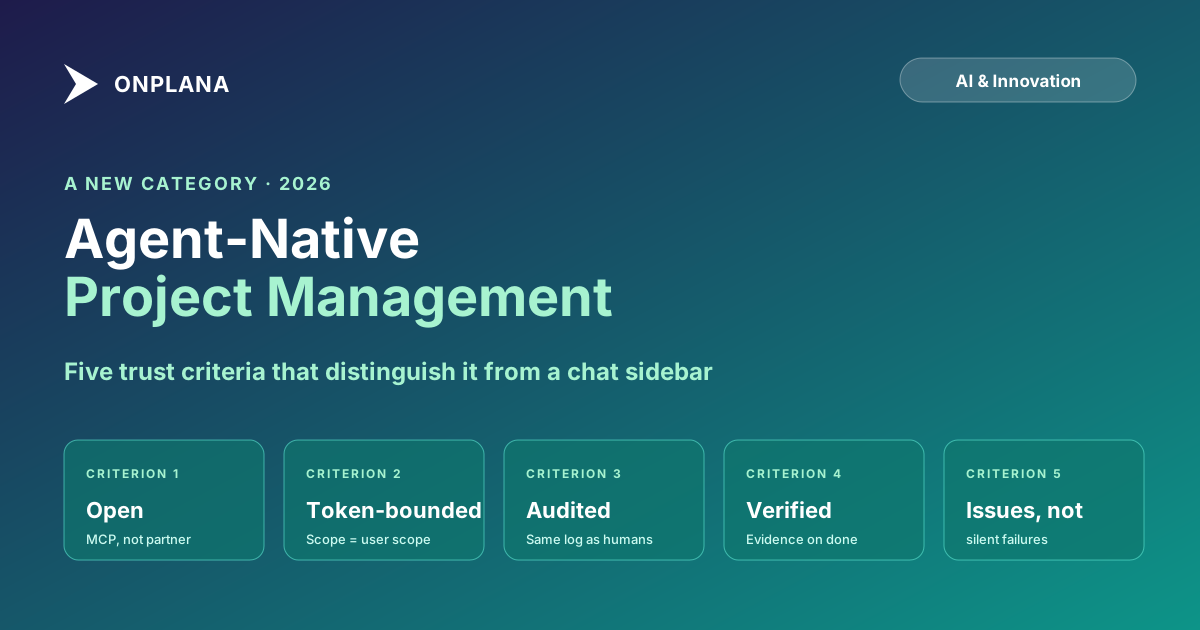
Chat sidebars are AI-decorated PM tools. Agent-native PM tools expose an open MCP surface so any AI agent (Claude Code, ChatGPT or Codex, claude.ai, future clients) becomes a real project member that can plan and execute against the live data, bounded by the same plan, role, and audit posture as the human user. Five evaluation criteria distinguish the two categories: open protocol, token-bounded scope, server-side audit, verify-before-done discipline, and issues-not-silent-failures. Without all five, an "AI agent" is marketing copy.
The diagram below contrasts the two postures. They look similar from the marketing page; they are very different in what they can actually do for the work.
What "agent-native" actually means
A PM tool is agent-native when four things are true at the same time:
- The tool exposes an open agent-interoperability surface, not a proprietary integration. Open means a protocol any compliant client speaks. In 2026 that protocol is MCP, the Model Context Protocol; the broader framing of why MCP belongs in a project tool sits on the MCP for project management page. A vendor "integration" with one named AI client is not the same thing; it is one client deep, no future-proofing, and the moment a customer wants a different client they are back to chat sidebar.
- The agent is a project member with a real identity and a bounded scope. Not a service account with god mode. An MCP token authorises against the same tenant boundary as the web app, the same plan and role gating, the same audit log. The agent's permissions are the human's permissions, no more.
- The agent's work is durable in the project, not stranded in a chat window. Plans the agent writes land as artifacts attached to the project. Tasks the agent creates are first-class tasks the team can see and edit. Issues the agent files are first-class issues. The agent leaves a trail that a person can pick up tomorrow.
- The verify and recover discipline is server-side, not client-side. The agent verifies before marking work done (tests, builds, browser drives, screenshots), and when something cannot be cleanly completed it files an Issue with the failure mode rather than silently failing. Those properties live in the skill files the agent runs, not as polite suggestions in the system prompt.
A tool that ticks all four reshapes what AI can do for the PM. A tool that ticks fewer is still useful, and we ship plenty of those features, but it is not in the same category.
What changes when the agent is real
The work that moves first is the work that follows patterns: planning a project from a goal, decomposing into a task tree, writing test cases per deliverable, identifying downstream-surface tasks (docs, tests, API, migrations, permissions, analytics), running open tasks, generating status drafts. These are the parts of PM work that take time without rewarding judgment.
The PM's role shifts from doing all of that to ratifying and intervening. The plan the agent proposes is a draft the PM accepts or edits. The task tree the agent populates is a tree the PM reorders or deletes from. The Issues the agent files are inbound issues the PM triages. The work the agent verifies and ships is work the PM trusts because the evidence is attached.
This is not "AI replaces the PM." This is the PM stops doing the high-volume, low-judgment parts so they can do the parts that need judgment. Sponsor relationships, scope negotiation, stakeholder communication, the call about whether a slip is acceptable, none of those move. The cold-start work, the boilerplate, the "let me populate the test-case subtasks for the fifteenth time this quarter," all of that moves.
Two posts that walk this from different angles: how AI runs project management in Onplana enumerates the seven non-agent AI surfaces (Project Kickstart, plan generation, risk detection, status summaries, NL parsing, recommendations, portfolio Q&A), and a day in the life of an AI-augmented PM is the narrative version.
The trust posture (where most agent pitches fall over)
The hard part of agent-native PM is not the planning skill or the runner skill. The hard part is the trust posture: what stops an agent from making bad calls at scale, in code, in a way the customer can audit. Five properties separate trustworthy agent-native PM from the marketing-only variety.
Verify before done. The agent's skill explicitly defines what "done" means per task type: for server work it is test pass plus build pass; for user-visible work it is a browser-driven render with an attached screenshot; for data changes it is the diff and any unexpected-row warnings. Marking a task DONE without evidence is a defect in the agent, not a behaviour to tolerate. The role of AI in Onplana post covers the broader decision boundaries that the verify discipline plugs into.
Issues, not silent failures. When the agent cannot complete a task cleanly, it files an Issue with the failure mode, what was tried, and what evidence was captured at the failure point. The Issue is a first-class record in the PMO triage queue, not a comment buried on the failing task. A team that runs an agent for a month should see a growing-then-stabilising Issues list as the agent learns the team's quirks, not a quiet pretend-everything-worked board.
Token-bounded scope. The PAT that authorises the agent's MCP connection grants exactly the scopes the user picks. The agent cannot exceed those scopes, not because it chooses not to, but because the server refuses the call. Plan tier, role permissions, and per-project ACLs all flow through to the agent. There is no "agent-admin" mode that elevates beyond the human's permissions.
Server-side audit. Every tool call the agent makes lands in the same audit log the admin already uses for human actions. Tenant ID, user ID, tool name, request payload, response, client identifier (Claude Code vs ChatGPT vs custom agent), outcome. No separate "AI activity" pane that lives in a different system. Auditors who need a record get a real one.
Guided mode for the cautious context. Teams new to autonomous agents (or running them in regulated workflows) flip the autonomy to guided, where the agent pauses for human go-ahead before each step. The default is high autonomy (act, report, keep moving, pause only at guardrails); autonomy: guided is the opt-in slower posture. Reversible in either direction. Both modes are user-controlled; neither is the vendor's call.
A vendor that cannot demonstrate all five concretely is shipping a chat sidebar with an agent name. The five properties are not unique to Onplana, they are what the category requires.
Two operational properties that show up only at the second-month mark
Two further trust properties surface after a team has run an agent for a month and the early enthusiasm has worn off. Both are easy to miss in a vendor demo.
Right thing in the right record. An agent-native PM tool distinguishes Tasks (planned work the agent will do), Issues (problems that have materialised and need triage), Risks (probabilistic future events), and Change Requests (governance-gated changes to the project baseline) as different entity types. An agent that files a bug as a new "task" pollutes the backlog with work that was never planned; an agent that hides a real problem in a task comment buries it where the triage queue cannot see it. The categorical discipline matters: the agent calls create_issue when something broke, not create_task. The PM whose tool merges those two concepts loses the ability to distinguish "did you finish what you said you would" from "what new fires showed up this week."
No self-loops. Agents that read their own comments back to themselves end up replying to their own notes, looping forever, or pretending the work happened twice. An agent-native tool's read APIs flag messages authored by agent personas so the agent skips them when scanning for human feedback, and the agent advances its "since" timestamp on every poll. This is not glamorous and it is not in the marketing copy, but it is the difference between an agent that runs cleanly for a week and one that quietly burns the token allowance commenting on itself.
Neither property prevents an agent from acting at all; both prevent specific failure modes that ship a chat-sidebar agent into production and surface as operational pain three weeks later.
What stays in the stay-out zone
This is the section most agent pitches skip. An honest agent-native PM tool also names what the agent does not do.
In Onplana, the stay-out zone is hard-coded: financial commitments (the agent can summarise burn rate but cannot approve a PO or change an approved budget), baseline sign-off (the agent can recommend a rebaseline; the sign-off itself is a human authority), performance reviews (the agent never assembles task history into a review of an individual), vendor selection (the decision to award is not an AI output), termination decisions (closing a project, archiving a portfolio, removing a user, all human actions). The boundary is enforced in code, not in policy. No admin setting moves an operation from stay-out into act, even if a sufficiently motivated org wants to.
The principle: where the wrong decision creates a legal, financial, or interpersonal cost that a "reverse" button cannot fix, the agent does not act. The stay-out zone is small specifically because the cost of misplacing a boundary is asymmetric. The full three-zone model covers the act, suggest, and stay-out boundaries with examples.
How to evaluate an "agent-native" claim
Pull a quick 5-question checklist out of this post for vendor calls. For each, ask the question and demand a concrete answer, not a brochure paragraph.
- What open protocol does your agent surface speak? (Real answer: MCP, or a credible alternative. "Our partner integrations" is the wrong answer.)
- How is the agent's scope bounded? (Real answer: a token whose scope is exactly the user's scope. "Service account with elevated permissions" is the wrong answer.)
- Where is the audit log of agent actions, and what does each entry contain? (Real answer: same audit log as human actions, with tool name, payload, response, client identifier, outcome. "We have a separate AI activity feed" is fine but secondary; if the answer is "it is in the chat history," walk away.)
- How does the agent define 'done' for a task, and where is the evidence? (Real answer: per-task-type definitions, evidence attached to the task, tests/builds/screenshots referenced. "The agent says it is done" is the wrong answer.)
- What happens when the agent cannot complete a task? (Real answer: an Issue is filed with the failure mode and evidence, the sweep continues. "It comments and stops" is the wrong answer.)
If a vendor cannot answer all five concretely, the product is a chat sidebar wearing an agent costume. There is no shame in that, chat sidebars are useful, but it is not the same category as agent-native PM.
What we shipped, briefly
Onplana's two agent skills, the planner and the autonomous agent, are the operational expression of the framing above. Plain markdown files you drop into Claude Code, ChatGPT or Codex, claude.ai, or any future MCP-aware client. Both are free on every Onplana plan, bounded by the org's one-time AI token allowance. The skills run against the same MCP server covered in our launch post; the engineering decisions behind the server itself (OAuth 2.1 + PKCE, Dynamic Client Registration, scope gating, audit log) are written up at /mcp/how-we-built-it.
The announcement post Plan and run your projects with an AI agent covers what each skill does in product detail. The step-by-step walkthrough How to run a project autonomously with an AI agent is the hands-on path from token to first verified task. This post is the larger argument, the one that is worth sharing if you care about where PM tooling is heading.
Try the agent skills: download both at /agent-skill. See the agent surfaces in the product at /agents. The token allowance behind it is on /pricing.
Microsoft Project Online™ is a trademark of Microsoft Corporation. Onplana is not affiliated with Microsoft.
Ready to make the switch?
Start your free Onplana account and import your existing projects in minutes.